インストール
公式サイトに丁寧な説明がある
ajenti-download
root@hostname:/home/shimizu# wget http://repo.ajenti.org/debian/key -O- | apt-key add -
...
OK
root@hostname:/home/shimizu# echo "#ajenti" >> /etc/apt/sources.list
root@hostname:/home/shimizu# echo "deb http://repo.ajenti.org/debian main main debian" >> /etc/apt/sources.list
root@hostname:/home/shimizu# aptitude update
...
root@hostname:/home/shimizu# aptitude install ajenti
以下の新規パッケージがインストールされます:
  ajenti gir1.2-glib-2.0{a} libgirepository-1.0-1{a} libwebp5{a} libwebpdemux1{a} libwebpmux1{a} python-catcher{a} python-daemon{a} python-dbus{a} python-dbus-dev{a}
  python-exconsole{a} python-gevent{a} python-gevent-socketio{a} python-gevent-websocket{a} python-gi{a} python-greenlet{a} python-imaging{a} python-ldap{a}
  python-lockfile{a} python-mako{a} python-markupsafe{a} python-passlib{a} python-pil{a} python-psutil{a} python-reconfigure{a} python-requests{a}
更新: 0 個、新規インストール: 26 個、削除: 0 個、保留: 4 個。

root@hostname:/home/shimizu# netstat -anp | grep 8000
tcp        0      0 0.0.0.0:8000            0.0.0.0:*               LISTEN      6743/python
アクセスしてみたが、以下エラー
root@hostname:/home/shimizu# tail -f /var/log/ajenti/ajenti.log
Traceback (most recent call last):
  File "/usr/lib/python2.7/dist-packages/gevent/greenlet.py", line 327, in run
    result = self._run(*self.args, **self.kwargs)
  File "/usr/lib/python2.7/dist-packages/gevent/server.py", line 102, in wrap_socket_and_handle
    ssl_socket = self.wrap_socket(client_socket, **self.ssl_args)
  File "/usr/lib/python2.7/dist-packages/gevent/ssl.py", line 382, in wrap_socket
    ciphers=ciphers)
  File "/usr/lib/python2.7/dist-packages/gevent/ssl.py", line 84, in __init__
    ctx = SSLContext(ssl_version)
NameError: global name 'SSLContext' is not defined
<Greenlet at 0x7fbb0df6d050: <bound method SocketIOServer.wrap_socket_and_handle of <SocketIOServer at 0x7fbb0dfa8e90 fileno=8 address=0.0.0.0:8000>>(<socket at 0x7fbb16401e50 fileno=13 sock=49.212.20, ('119.150.43.89', 55253))> failed with NameError
geventのbugの模様
easy_installでgeventをインストールしようとしたが
import sslをいれると解決するという記事があったため
easy_installでインストールしたgeventをアンインストールしたら、ajentiが動作するようになったorz
root@hostname:/home/shimizu# aptitude purge ajenti
...
root@hostname:/home/shimizu# aptitude install python-setuptools python-dev
以下の新規パッケージがインストールされます:
  libpython-dev{a} python-dev python-setuptools python2.7-dev{a}
...
root@hostname:/home/shimizu# easy_install -U gevent
...
root@hostname:/home/shimizu# easy_install -m gevent
...
root@hostname:/home/shimizu# cd /usr/local/lib/python2.7/dist-packages/
...
root@hostname:/usr/local/lib/python2.7/dist-packages# rm -R gevent-1.1b3-py2.7-linux-x86_64.egg
...
root@hostname:/usr/local/lib/python2.7/dist-packages# aptitude install ajenti
...
ログインと画面
Username:root
Password:admin
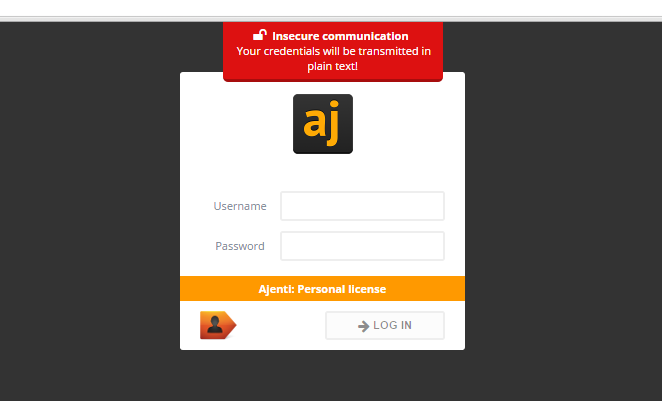
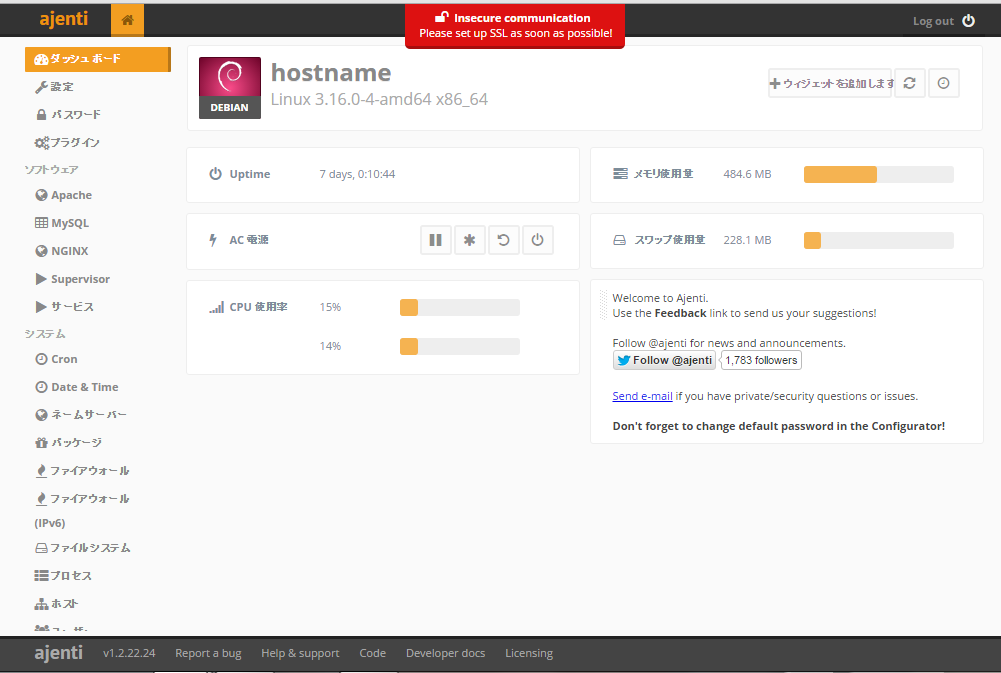
デバック方法
root@hostname:/home/shimizu# ajenti-panel -v
30.08.2015 11:55 ajenti-panel:105              INFO  Using config file /etc/ajenti/config.json
30.08.2015 11:55 ajenti-panel:130              INFO  Ajenti starting in foreground
...
参考URL
サーバー管理ツール「Ajenti」がなかなか良さげ
http://qiita.com/kijtra/items/cda3648ed06410f492ef